
We connect the tools you already pay for where the vendor's APIs or integration options allow, and we build the missing pieces when they don't exist. You work directly with our co-founders, Taylor Moses and Jamison Dyal, from the first sketch of your data to the day the connection goes live. You own the code and the data, and most of our work is under NDA.
Follow one record through your business
The quickest way to see what needs connecting is to pick a single record and trace it. Take a new order. It starts as an email or a web form, becomes a quote, turns into a job, lands on a schedule, ships or gets serviced, and ends as an invoice. Count the screens it touches and the number of times someone retypes it.
Every retype is a chance for a wrong address, a missed line item or a duplicate account. Most Austin teams can name the worst spot within a few minutes, and that spot is usually where your first system integration should go. We ask four questions about it:
- Where is the record created, and who creates it?
- Which tools need their own copy, and which only need to read it?
- Which fields change later, and who is allowed to change them?
- What should happen when two tools disagree?
We draw the map before anyone writes code
Before we build, we produce a plain diagram of your tools, the data each one holds, and every handoff between them. You review it with the people who do the work. Teams catch things on a diagram that never come up in a meeting, like the spreadsheet in finance that quietly feeds the month-end report.
The map also settles ownership. For each type of data we agree on one home, and every other tool follows it. That single decision is the part of system integration that prevents the slow drift where three tools hold three slightly different phone numbers for the same person.
Healthcare, manufacturing and sales are where we see this problem most, but the same map works for a law office, a property manager, a school or a nonprofit. If the same information lives in more than one place, it can be connected.
- 1 System A changes
- 2 Integration checks it
- 3 Data is mapped
- 4 System B updates
- 5 Result is logged
Healthcare: moving patient data without loosening control
Clinics and practices around Austin run on a stack of separate tools: an EHR, a practice management system, an intake form, a referral inbox, a billing service. When those tools don't share data, front desk staff become the integration. We connect intake to the chart, referrals to scheduling, and visits to reporting where the vendor's APIs or integration options allow, using standards such as HL7 and FHIR when the EHR supports them.
Our healthcare systems are fully HIPAA compliant. We sign BAAs and any other compliance agreements you need, and a HIPAA-trained team member is involved in every healthcare build. Each connection uses encryption, role-based access, MFA for administrative accounts and active monitoring, so any system integration that touches patient data leaves an audit trail you can show an auditor.
✕Staff retype each order into three tools
✓Orders entered once and shared automatically
✕Customer details differ between CRM and accounting
✓One agreed home for each type of data
✕Failed handoffs discovered by an unhappy customer
✓Failed handoffs flagged, queued and replayed
✕Managers chase status updates by email
✓Status visible as work moves between tools
✕Commissions calculated by hand from spreadsheets
✓Signed and paid deals trigger commissions automatically
Manufacturing: from quote to shop floor to invoice
A manufacturer's data crosses more hands than almost anyone's. Sales quotes a part, engineering confirms it, purchasing orders material, the floor builds it, quality signs off, and accounting bills it. When each step lives in its own tool, leaders spend the day asking for status instead of acting on it.
Our Industrial Operations Platform is a quote-to-service operating system we built for a private industrial company, and it showed us exactly where those handoffs break. Its purpose is to let leaders manage by exception. Connected data surfaces what is late, short or out of spec, and everything else moves along on its own. With semiconductor work in Taylor and Tesla Giga Texas in southeast Travis County, Central Texas suppliers are expected to know where every order stands.
- Accepted quotes flowing into scheduling and purchasing
- Inventory counts that update when material is received or used
- Quality records tied to the job, the lot and the customer
- Field service tickets linked back to the original order
Sales: one signal that sets everything else in motion
Sales teams create events that other departments have to react to. A deal closes, and suddenly someone needs to send a contract, collect payment, schedule delivery and calculate a commission. If those steps depend on a rep remembering to email three people, some of them won't happen.
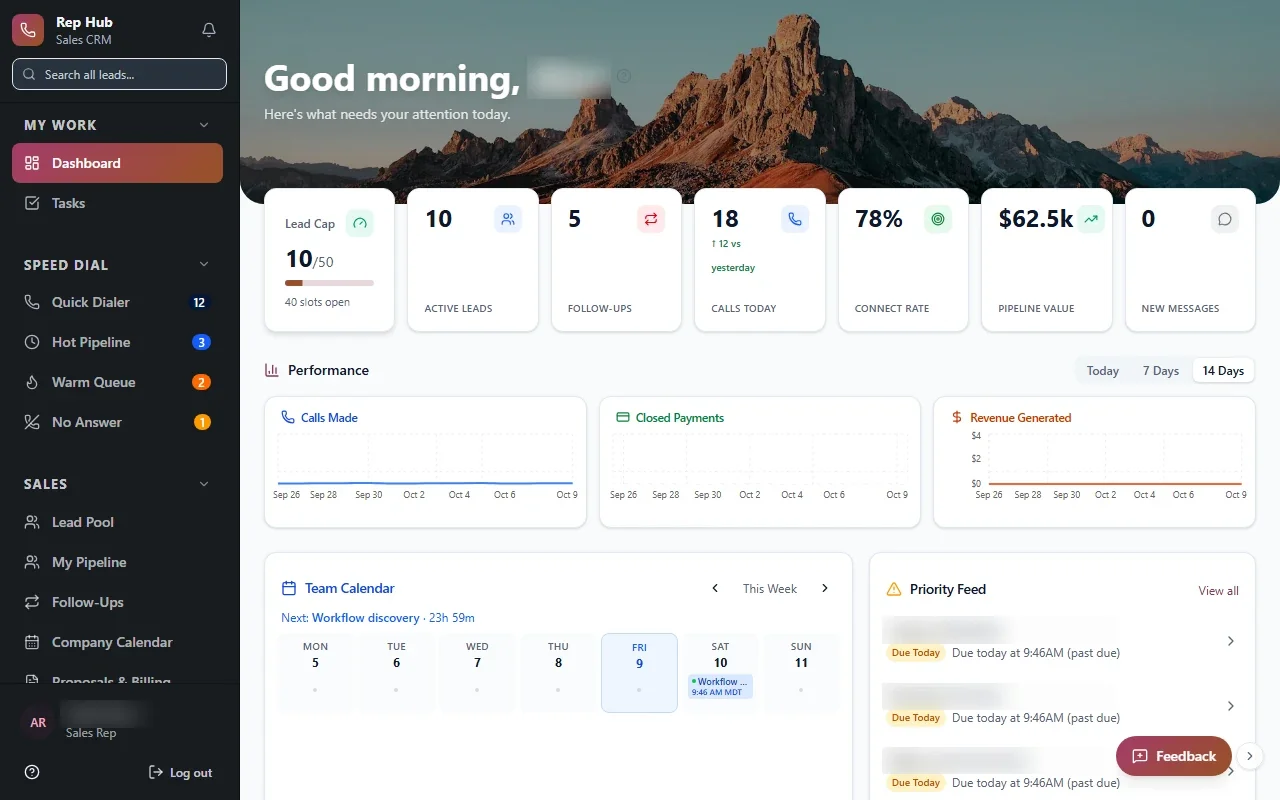
In Rep Hub, the sales platform we built for recruiting, training and managing reps, a contract that is signed and paid triggers delivery and commissions on its own. Reps might work remotely, from an inside sales floor near the Domain, or door to door in Pflugerville and Kyle. For Austin sales teams like these, the CRM stays the place reps live, and system integration carries each closed deal to every team that needs to act on it.
The system handles
- Moving data between systems
- Retrying failed syncs
- Alerting on errors
Your people decide
- Resolving conflicts
- Approving new connections
- Deciding the source of truth
When a vendor changes something, you hear from us first
Connections rarely fail on launch day. They fail later, when a vendor renames a field, retires an endpoint or changes how it signs requests. We build each one with logging, retry rules and alerts, so a failed handoff is caught and queued instead of silently lost.
You also get documentation in plain language: what connects to what, which accounts are used, and what to check if something looks off. Because you own the code, any qualified developer could pick it up. Most clients keep us on afterward, and our ongoing support covers these connections along with the rest of your software.
- Error logs your team can actually read
- Alerts routed to the right person
- Replay for messages that failed to deliver
- Versioned connection code stored in your accounts